
Email Sending
Issue fixed
Diagnosed and resolved a critical email delivery failure on a WordPress WooCommerce site — all contact forms and WooCommerce order notification emails were submitting successfully but never reaching the customer’s inbox.
Client
Year
Category
Resolution Time
Client
Year
Category
Resolution Time
About This Project
A WooCommerce store owner came to me with a frustrating problem — all the forms on their website appeared to work perfectly from the frontend, but emails were simply not reaching anyone’s inbox. Customers were filling out contact forms, placing orders, and requesting password resets, but neither the customer nor the store owner was receiving any email notifications.
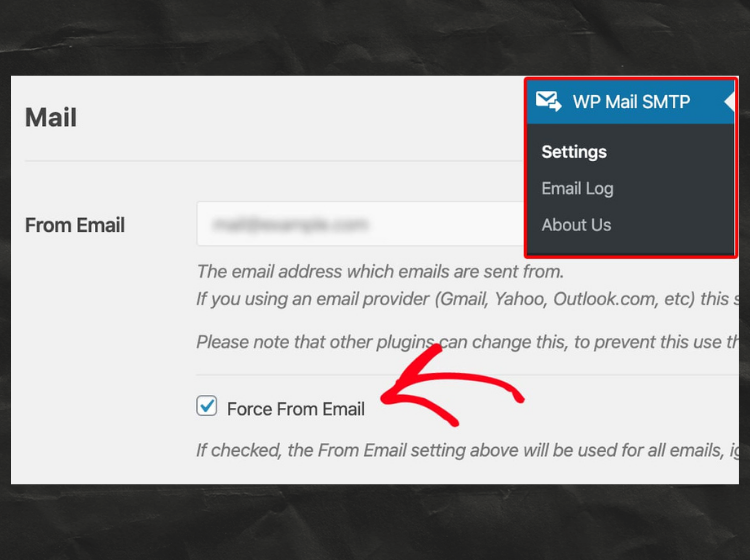
The root cause was that WordPress by default uses the PHP mail() function to send emails, which most hosting servers either block or don’t properly configure — causing all outgoing emails to silently fail or land in spam. WooCommerce order confirmation emails, new order alerts, customer invoice emails, shipping notifications, and password reset emails were all affected. I configured a proper SMTP setup using WP Mail SMTP plugin, connected it to a reliable email-sending service, tested all form types and WooCommerce email notifications, and confirmed full delivery to inbox. The client’s store is now sending every email reliably without any issues.
Bugs Identified in This Project
Work Done in This Project
-
Full plugin conflict diagnostic using
debug mode & error logs - Connected SMTP to a reliable email sending service — Gmail / Mailgun for authenticated delivery
- Contact Form 7 email delivery fixed — from address, reply-to, and mail headers properly configured
- SPF and DKIM DNS records verified and fixed via cPanel / Cloudflare to prevent spam filtering
- Sent test emails across Gmail, Yahoo, and Outlook — confirmed inbox delivery on all platforms
- Installed and configured WP Mail SMTP plugin with proper authenticated SMTP credentials
- Tested all WooCommerce email types — new order, order confirmation, invoice, shipping, refund, password reset
- WooCommerce email settings reviewed and corrected — sender name, from email address updated
- Email log plugin installed for ongoing delivery monitoring and troubleshooting
- Handed over complete setup documentation to the client — 100% email delivery confirmed with zero downtime
-
Full plugin conflict diagnostic using
debug mode & error logs - Connected SMTP to a reliable email sending service — Gmail / Mailgun for authenticated delivery
- Contact Form 7 email delivery fixed — from address, reply-to, and mail headers properly configured
- SPF and DKIM DNS records verified and fixed via cPanel / Cloudflare to prevent spam filtering
- Sent test emails across Gmail, Yahoo, and Outlook — confirmed inbox delivery on all platforms
- Installed and configured WP Mail SMTP plugin with proper authenticated SMTP credentials
- Tested all WooCommerce email types — new order, order confirmation, invoice, shipping, refund, password reset
- WooCommerce email settings reviewed and corrected — sender name, from email address updated
- Email log plugin installed for ongoing delivery monitoring and troubleshooting
- Handed over complete setup documentation to the client — 100% email delivery confirmed with zero downtime
Plugins Used
- WordPress
- Woocommerce
- WP Mail SMPT
- cPanel
- Contact Form 7
- Gmail SMPT
- Mailgun
- PHP Debug
- Email Log
- Cloudfare
- WordPress
- Woocommerce
- WP Mail SMPT
- cPanel
- Contact Form 7
- Gmail SMPT
- Mailgun
- PHP Debug
- Email Log
- Cloudfare
Project Details
- Zero
Results After Fix
Related Projects
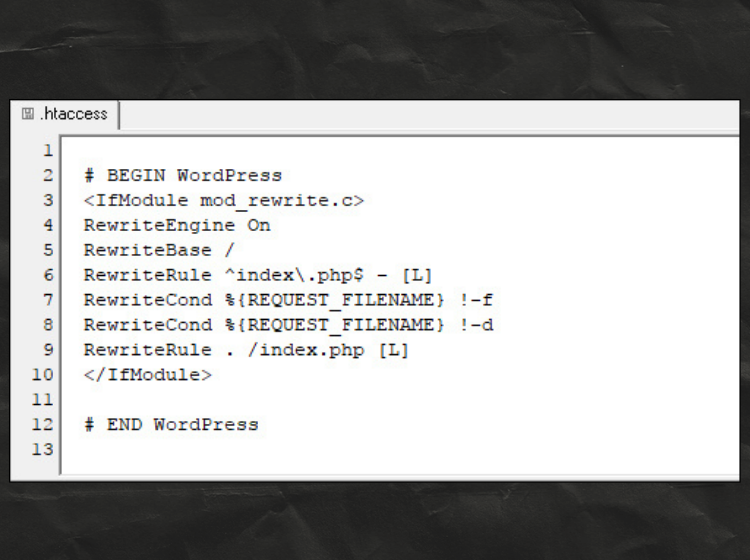
.htaccess Configuration Fixed
The website had issues due to an incorrect .htaccess file. I restored the default WordPress rewrite rules and regenerated permalinks to fix the problem. After updating the .htaccess configuration, all pages and URLs started working correctly again.
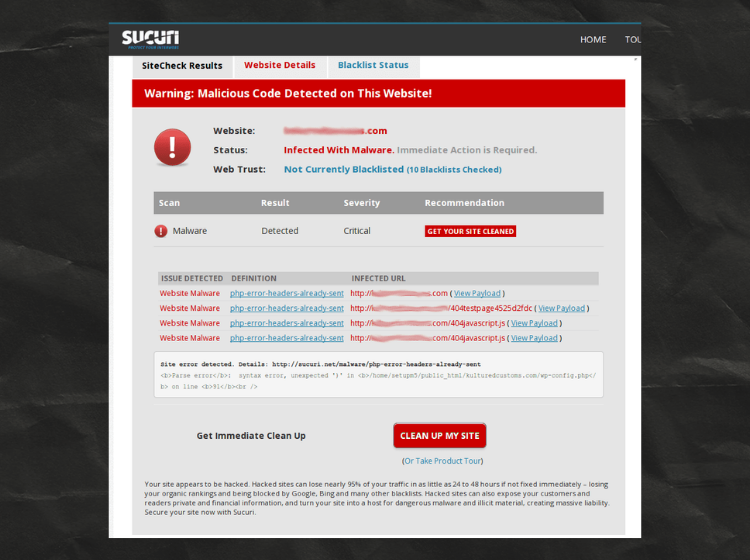
Malware Infection Cleaned
The website was infected with malicious code and flagged by Sucuri. I scanned the files, removed the injected malware, and cleaned compromised scripts. After securing the site and updating all components, the malware warnings were resolved successfully.
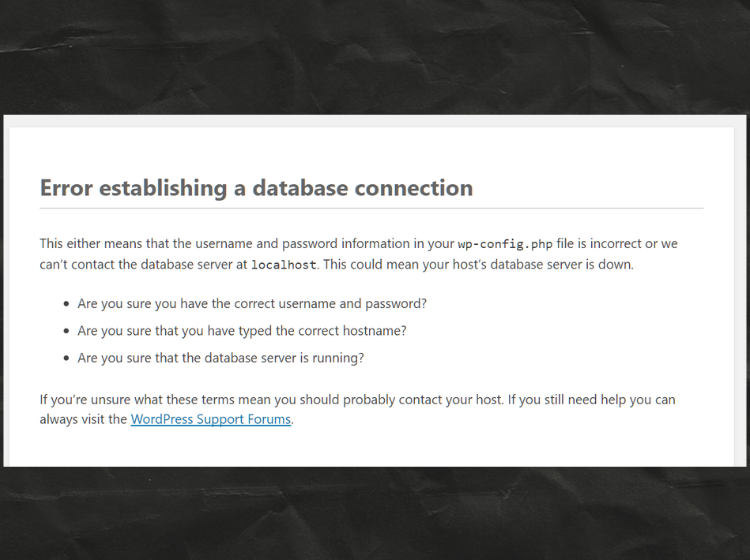
Database Connection Error Fixed
My site was showing a database connection error due to incorrect database credentials. I updated the DB name, username, password, and host details in the wp-config.php file. After saving the correct credentials and restarting the database service, the website started working normally again.
.htaccess Configuration Fixedv
The website had issues due to an incorrect .htaccess file. I restored the default WordPress rewrite rules and regenerated permalinks to fix the problem. After updating the .htaccess configuration, all pages and URLs started working correctly again.
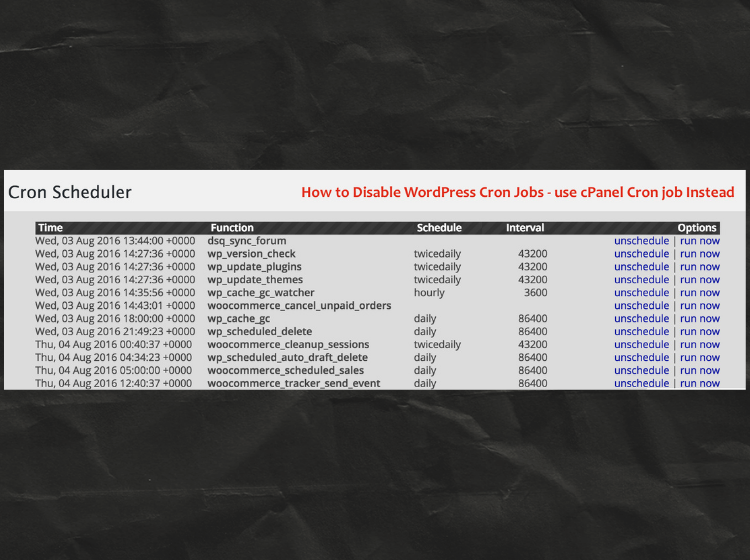
Cron Job Issue Resolved
My site’s scheduled tasks were not running properly due to WordPress internal cron issues. I disabled WP-Cron and set up a real server cron job from cPanel to handle tasks more reliably. After switching to the server cron, all scheduled events started working smoothly.
Malware Infection Cleaned
The website was infected with malicious code and flagged by Sucuri. I scanned the files, removed the injected malware, and cleaned compromised scripts. After securing the site and updating all components, the malware warnings were resolved successfully.
Database Connection Error Fixed
My site was showing a database connection error due to incorrect database credentials. I updated the DB name, username, password, and host details in the wp-config.php file. After saving the correct credentials and restarting the database service, the website started working normally again.