htaccess
Configuration Fixed
Diagnosed and resolved a broken .htaccess configuration on a WordPress website causing 500 Internal Server Errors, broken permalinks, blocked admin access, and failed image uploads — all issues traced back to misconfigured and corrupted .htaccess rules, fully fixed within 8 hours.
Client
Year
Category
Resolution Time
Client
Year
Category
Resolution Time
About This Project
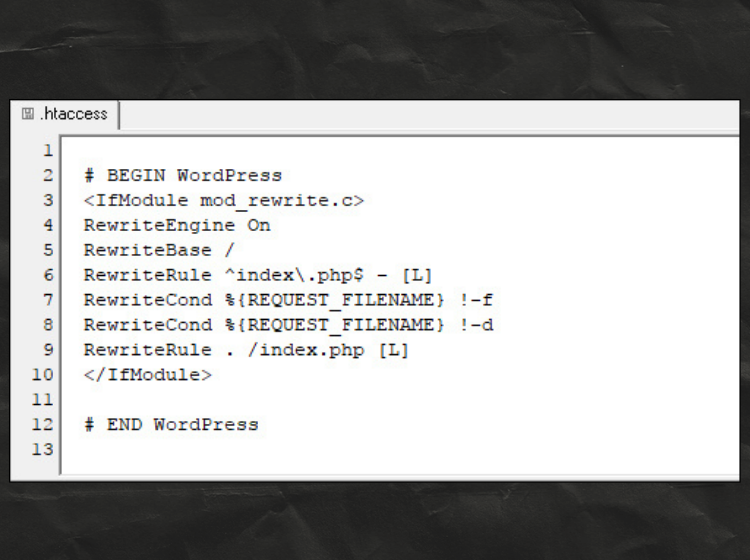
A WordPress website owner reached out after their site suddenly started showing 500 Internal Server Errors across multiple pages, permalink links were broken throughout, the admin dashboard was returning 404 errors, and image uploads had stopped working. After gaining server access, I identified that the .htaccess file had been corrupted — containing conflicting rewrite rules from multiple plugin modifications and a failed manual edit. I rebuilt the .htaccess file from scratch, restored the WordPress default rewrite rules, added security hardening directives, and tested every affected area end-to-end before closing the case.
Bugs Identified in This Project
Work Done in This Project
-
Full plugin conflict diagnostic using
debug mode & error logs - WooCommerce & cache plugin conflict identified and resolved
- Checkout & payment gateway fully restored and tested
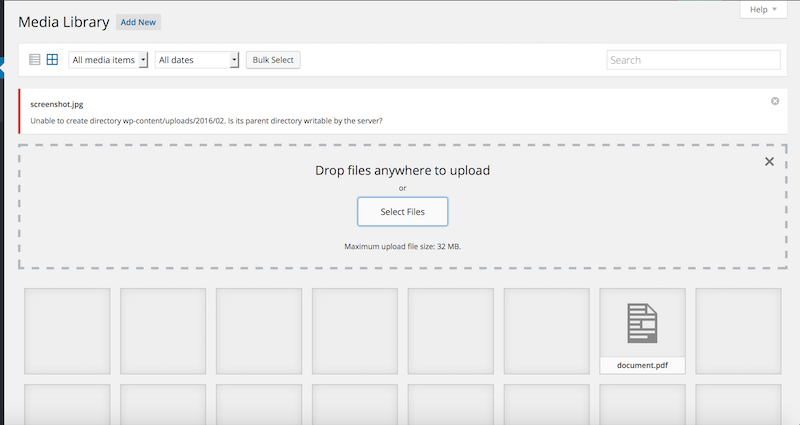
- Broken media uploads fixed — file permission & .htaccess corrected
- Hotlink protection rule corrected — site images unblocked for proper display
- White Screen of Death resolved — PHP error identified & fixed
- Conflicting plugin rewrite rules reviewed and re-added cleanly in correct order
- PHP memory limit increased & wp-config.php optimized
- Directory listing disabled — Options -Indexes added for security
- Contact form SMTP repaired — email delivery confirmed & tested
- Full plugin conflict diagnostic using debug mode & error logs
- WooCommerce & cache plugin conflict identified and resolved
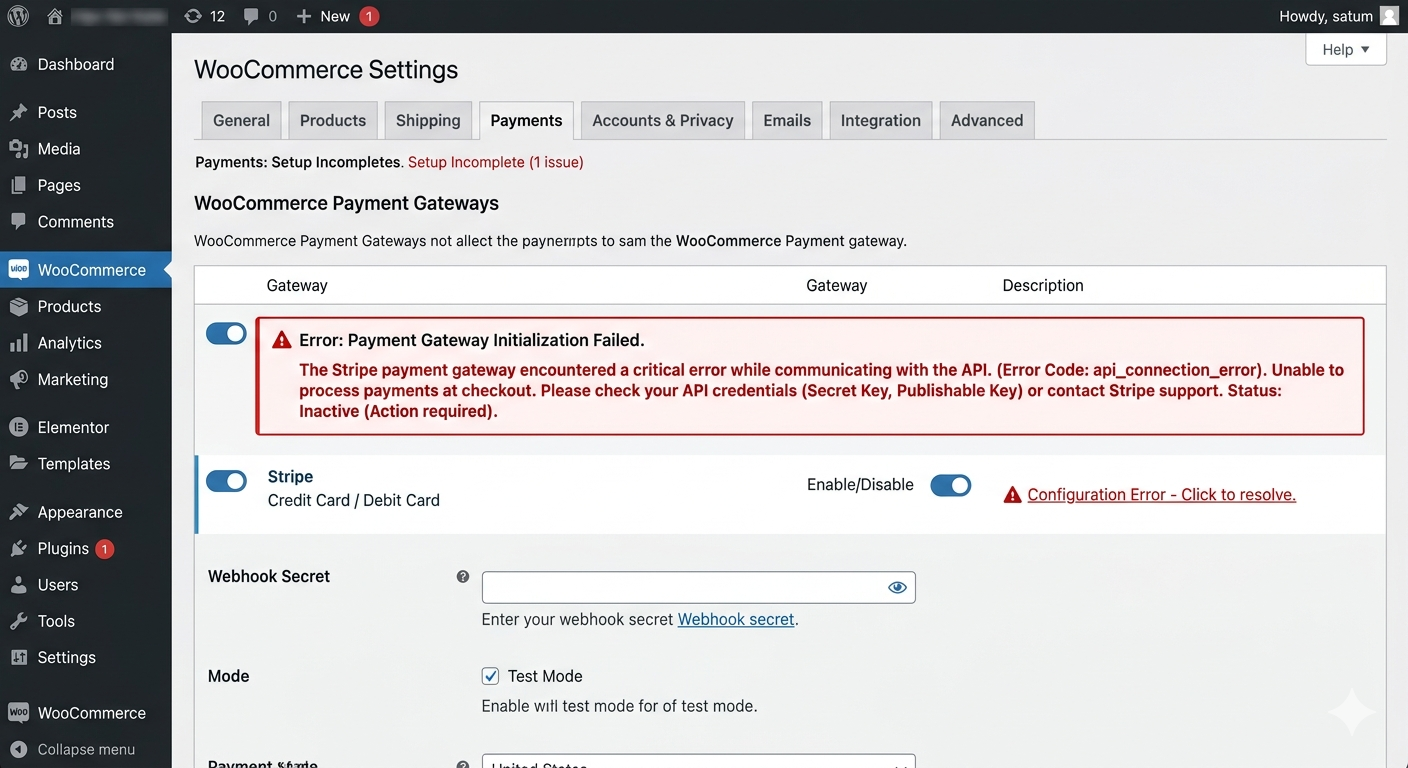
- Checkout & payment gateway fully restored and tested
- Broken media uploads fixed — file permission & .htaccess corrected
- Hotlink protection rule corrected — site images unblocked for proper display
- White Screen of Death resolved — PHP error identified & fixed
- Conflicting plugin rewrite rules reviewed and re-added cleanly in correct order
- PHP memory limit increased & wp-config.php optimized
- Directory listing disabled — Options -Indexes added for security
- Contact form SMTP repaired — email delivery confirmed & tested
Plugins Used
- WordPress
- .htaccess
- Apache Error Logs
- mod_rewrite
- cPanel File Manager
- SSH Access
- WP-CLI
- FTP / SFTP
- WordPress
- .htaccess
- Apache Error Logs
- mod_rewrite
- cPanel File Manager
- SSH Access
- WP-CLI
- FTP / SFTP
Project Details
- Zero
Results After Fix
Related Projects
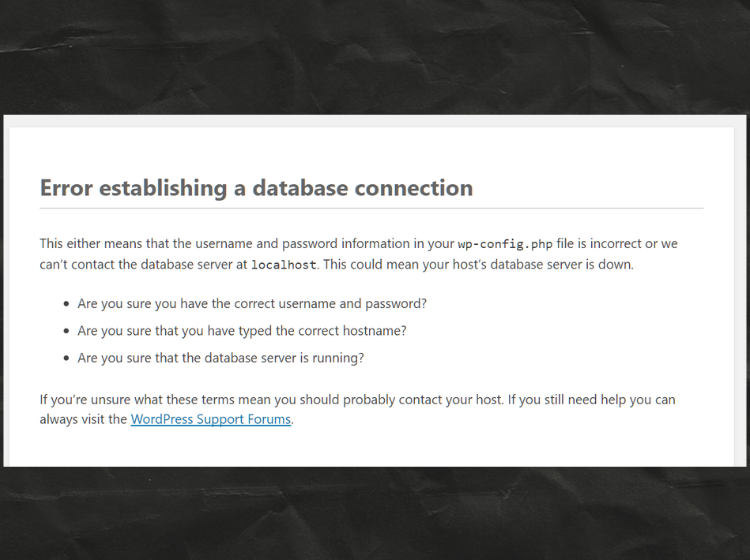
Database Connection Error Fixed
My site was showing a database connection error due to incorrect database credentials. I updated the DB name, username, password, and host details in the wp-config.php file. After saving the correct credentials and restarting the database service, the website started working normally again.
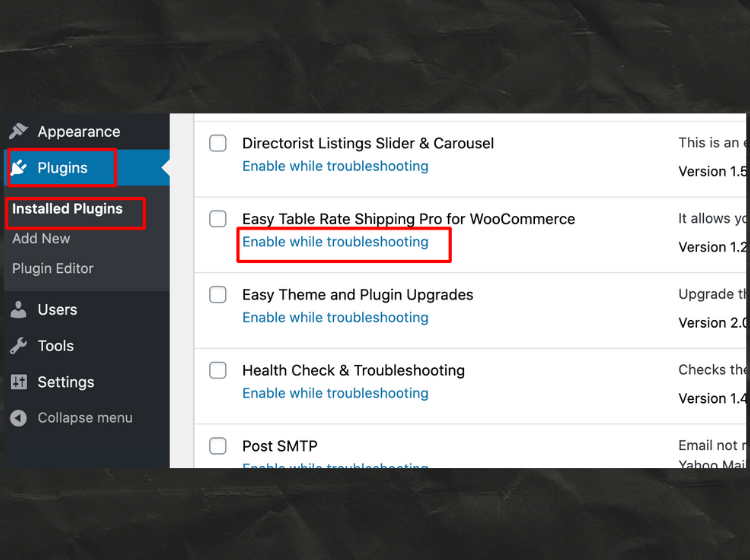
Plugin Conflict Issue Fixed
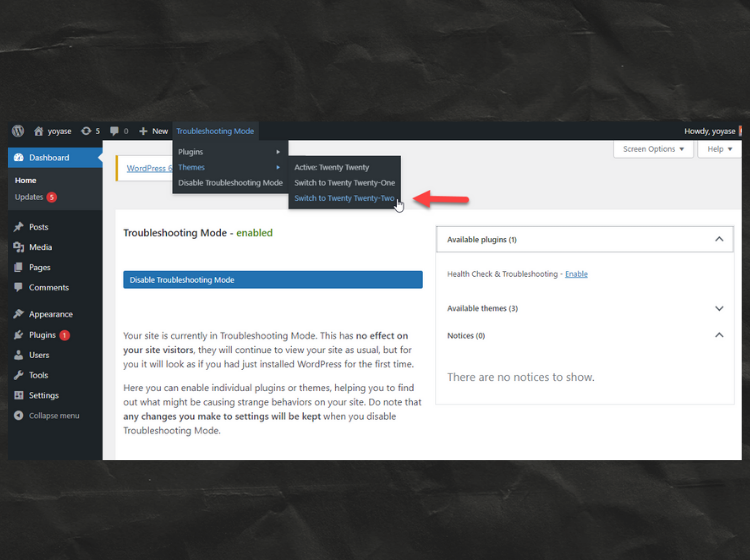
I used Troubleshooting Mode to check plugins safely without affecting the live site. By enabling plugins one by one, I identified the plugin causing the issue. After deactivating or updating the problematic plugin, the website started working properly again.
Theme Conflict Issue Fixed
Using Troubleshooting Mode, I switched between default WordPress themes to find out if the issue was theme-related. After confirming the theme conflict, I applied the required fixes and restored the correct theme, bringing the site back to normal.
Database Connection Error Fixed
My site was showing a database connection error due to incorrect database credentials. I updated the DB name, username, password, and host details in the wp-config.php file. After saving the correct credentials and restarting the database service, the website started working normally again.
Plugin Conflict Issue Fixed
I used Troubleshooting Mode to check plugins safely without affecting the live site. By enabling plugins one by one, I identified the plugin causing the issue. After deactivating or updating the problematic plugin, the website started working properly again.
Theme Conflict Issue Fixed
Using Troubleshooting Mode, I switched between default WordPress themes to find out if the issue was theme-related. After confirming the theme conflict, I applied the required fixes and restored the correct theme, bringing the site back to normal.
Email Sending Issue Fixed
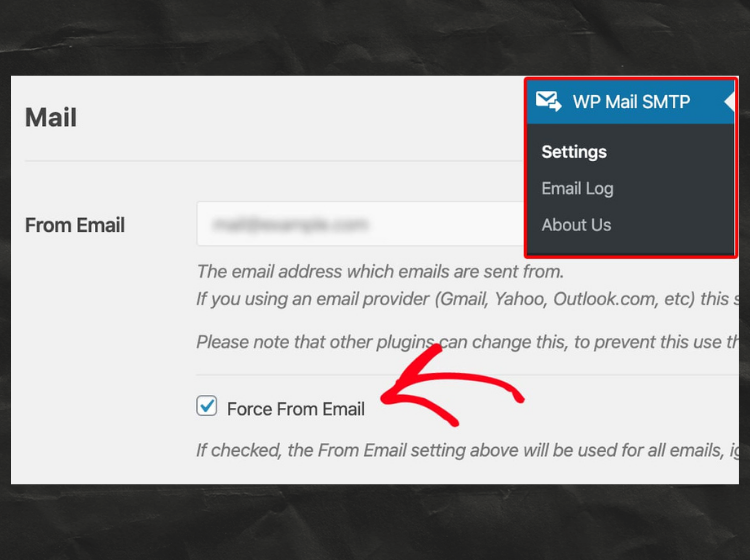
The site was not sending emails properly due to incorrect email settings. I configured WP Mail SMTP and enabled the “Force From Email” option to override conflicting plugins. After updating the settings, all WordPress emails started working correctly.