
Malware
Infection Cleaned
Detected and completely removed malicious code injected across hundreds of files and folders by a rogue developer — securing the client’s website and restoring full control within 24 hours.
Client
Year
Category
Resolution Time
Client
Year
Category
Resolution Time
About This Project
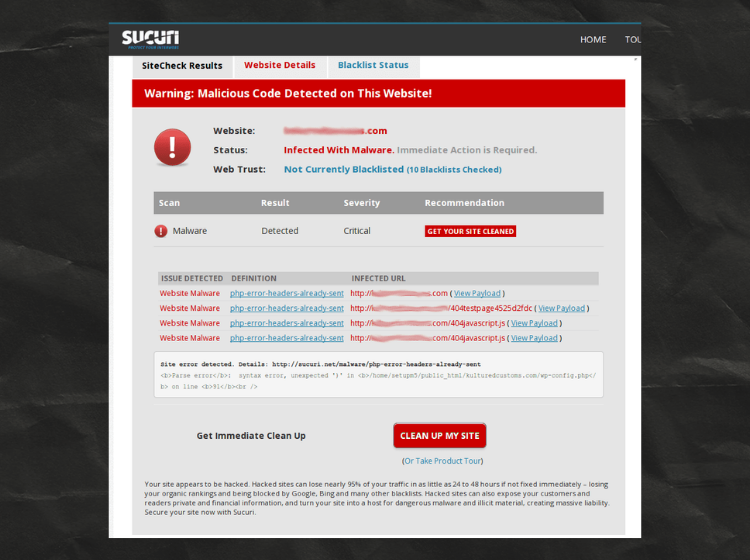
A client’s WordPress website was built by a third-party developer who secretly injected malicious code across multiple files and folders. This backdoor allowed the developer to access the website anytime, make unauthorised changes, and even redirect the website to external URLs — completely without the client’s knowledge.
The client approached me after noticing suspicious behaviour on the site — unexpected redirects, unknown admin logins, and unexplained content changes. I performed a thorough investigation using Wordfence Security, manual file inspection, and custom scripts to identify every infected file. Each malicious snippet was cleanly removed, backdoors were sealed, and the site’s security was hardened. The client’s website is now fully secure and operating perfectly.
Bugs Identified in This Project
Work Done in This Project
- Full malware scan using Wordfence Security plugin — all threats identified
- Removed obfuscated Base64 malicious code from core WordPress files
- wp-config.php secured — malicious entries removed, salts regenerated
- Theme and plugin files cleaned — infected code stripped completely
- Security hardening done — login protection, firewall rules, 2FA enabled
- Manual inspection of all PHP, JS, and .htaccess files for backdoors
- .htaccess cleaned — redirect injections removed and rules restored
- All rogue/hidden admin accounts deleted from database via phpMyAdmin
- File permissions corrected across all folders for proper security
- Final site-wide scan confirmed zero threats — site verified fully clean
- Full malware scan using Wordfence Security plugin — all threats identified
- Removed obfuscated Base64 malicious code from core WordPress files
- wp-config.php secured — malicious entries removed, salts regenerated
- Theme and plugin files cleaned — infected code stripped completely
- Security hardening done — login protection, firewall rules, 2FA enabled
- Manual inspection of all PHP, JS, and .htaccess files for backdoors
- .htaccess cleaned — redirect injections removed and rules restored
- All rogue/hidden admin accounts deleted from database via phpMyAdmin
- File permissions corrected across all folders for proper security
- Final site-wide scan confirmed zero threats — site verified fully clean
Plugins Used
- WordPress
- Wordfence
- PHP
- cPanel
- .htaccess
- WP-CLI
- phpMyAdmin
- Cloudfare
- File Manager
- Custom Script
- WordPress
- Woocommerce
- PHP Debug
- phpMyAdmin
- cPanel
- .htaccess
- WP-CLI
- Cloudfare
- Query Monitor
Project Details
- Zero
Results After Fix
Related Projects
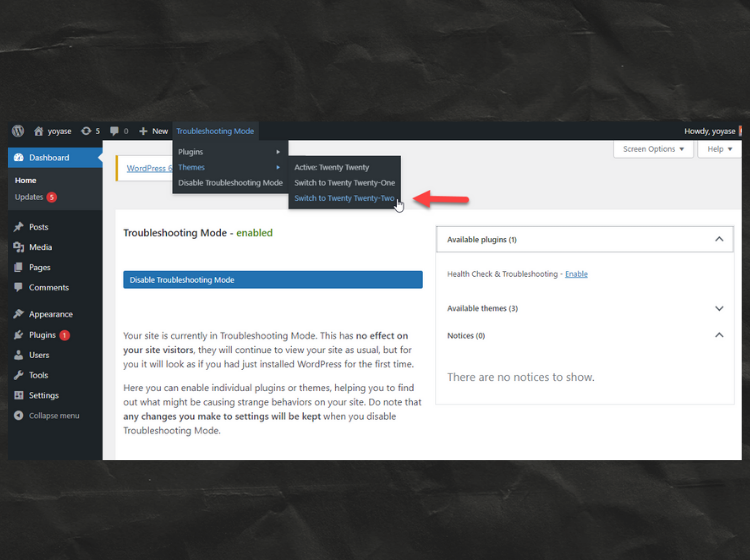
Theme Troubleshooting
Using Troubleshooting Mode, I switched between default WordPress themes to find out if the issue was theme-related. After confirming the theme conflict, I applied the required fixes and restored the correct theme, bringing the site back to normal.
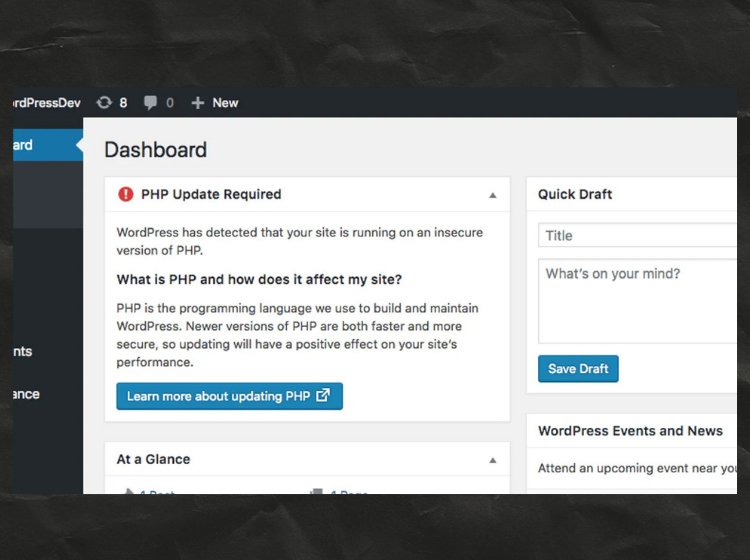
PHP Version Update Issue
I noticed my client’s website was showing a PHP version warning, which can affect security and performance. I upgraded the PHP version from the hosting panel and ensured all plugins/themes were compatible. After updating and clearing cache, the issue was fully resolved and the site is running smoothly again.
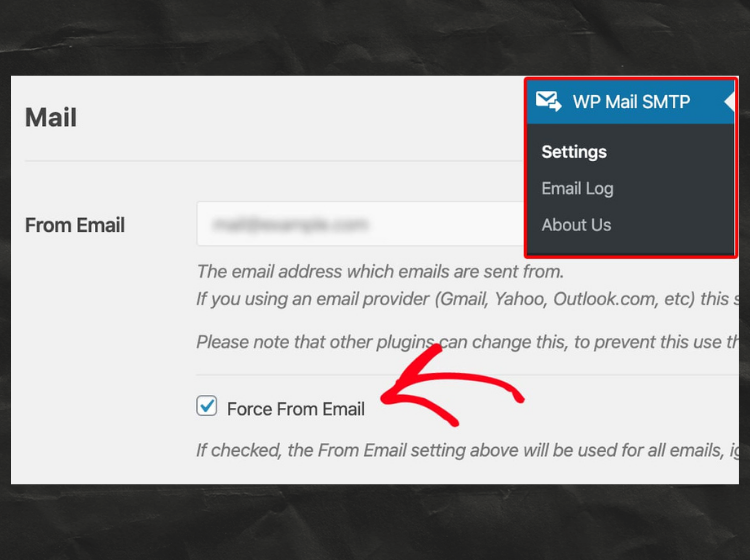
Email Sending Issue Fixed
The site was not sending emails properly due to incorrect email settings. I configured WP Mail SMTP and enabled the “Force From Email” option to override conflicting plugins. After updating the settings, all WordPress emails started working correctly.
PHP Version Updated
I noticed my client’s website was showing a PHP version warning, which can affect security and performance. I upgraded the PHP version from the hosting panel and ensured all plugins/themes were compatible. After updating and clearing cache, the issue was fully resolved and the site is running smoothly again.
Email Sending Issue Fixed
The site was not sending emails properly due to incorrect email settings. I configured WP Mail SMTP and enabled the “Force From Email” option to override conflicting plugins. After updating the settings, all WordPress emails started working correctly.
Theme Conflict Issue Fixed
Using Troubleshooting Mode, I switched between default WordPress themes to find out if the issue was theme-related. After confirming the theme conflict, I applied the required fixes and restored the correct theme, bringing the site back to normal.
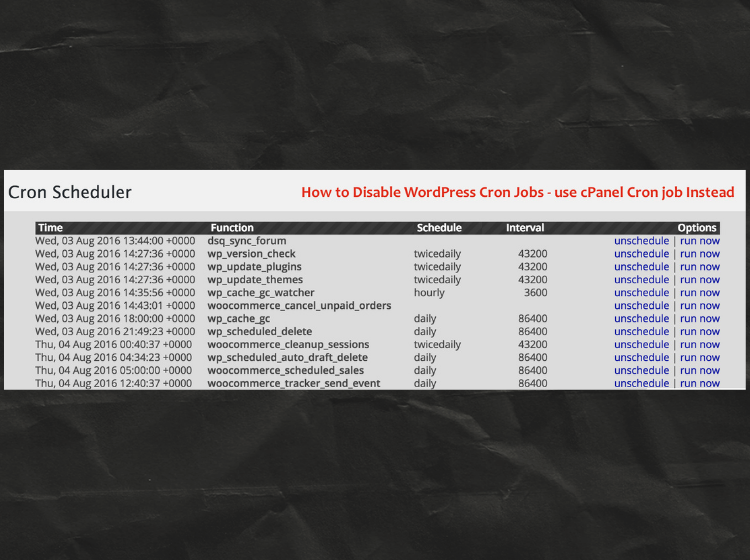
Cron Job Issue Resolved
My site’s scheduled tasks were not running properly due to WordPress internal cron issues. I disabled WP-Cron and set up a real server cron job from cPanel to handle tasks more reliably. After switching to the server cron, all scheduled events started working smoothly.